
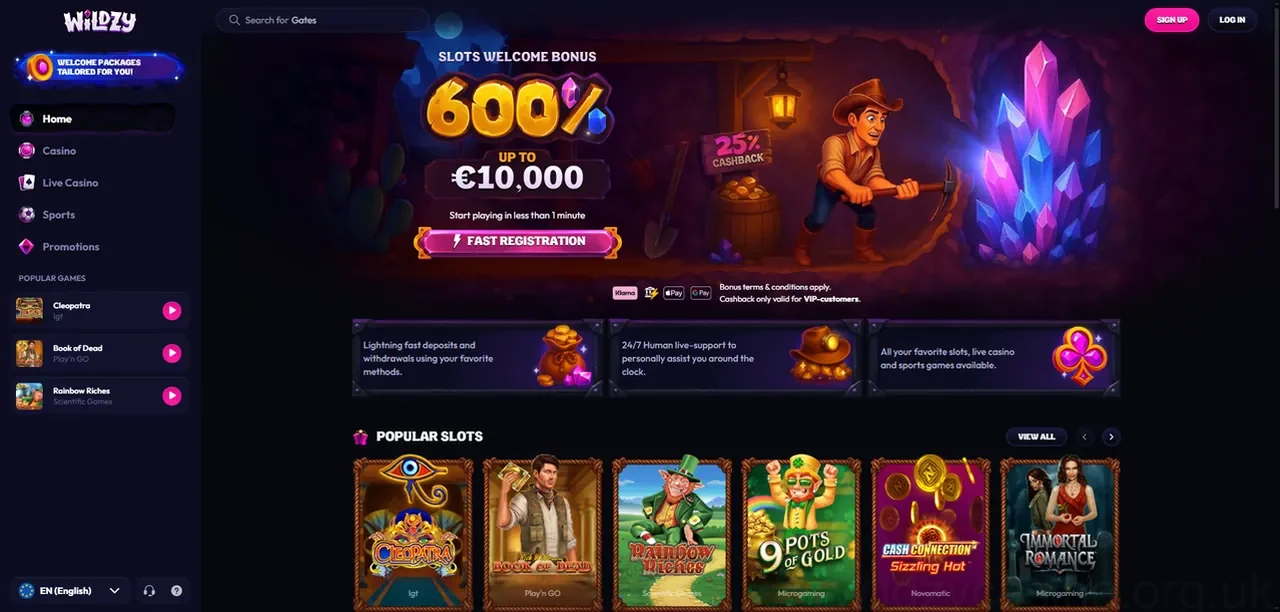
At Wildzy Casino, we built our site to work the moment you tap it. There is no waiting on an app store, no large download and no setup — the Wildzy Casino app experience runs straight from your mobile browser. Whether you are on the train, on the sofa or out and about, you can sign in, spin and play with the same account you use on desktop. This page explains exactly how mobile play works, how to add a home-screen shortcut, which devices we support and how to log in on the go.
Playing Wildzy Casino on Mobile
Wildzy Casino mobile is built on instant play. Our website is fully responsive, which means the lobby, games and cashier automatically resize to fit your phone or tablet screen — no separate program required. You simply open your browser, go to playwildzycasino.uk and you are ready to go.
Here is what instant play gives you:
- No download — nothing to install, so you save storage space and skip update prompts.
- One account everywhere — your balance, history and settings are the same on mobile and desktop.
- Always current — because you play through the browser, you are always on the latest version.
- Quick to start — load the site, log in and play in seconds.
Because everything runs in the browser, you can switch between your phone, tablet and computer whenever it suits you. Pick up exactly where you left off.
Wildzy Casino App / Add to Home Screen
A common question is whether there is a Wildzy Casino app download. Rather than ask you to install a separate program, we recommend the "add to home screen" shortcut. This places a Wildzy Casino icon on your phone exactly like a native app, so you can launch the site in one tap — but without using any storage or waiting for a download.
There is no separate native app to install on Android or iOS, and no app-store listing to search for — instead, our instant-play mobile site gives you the full Wildzy Casino experience straight from your browser, and the home-screen shortcut makes it feel just like a downloaded app.
To add Wildzy Casino to your home screen:
- Open playwildzycasino.uk in your mobile browser.
- Tap your browser menu — the Share icon on iPhone/iPad, or the three-dot menu on Android.
- Choose Add to Home Screen (iOS) or Add to Home screen / Install app (Android).
- Confirm the name, then tap Add.
That is it. A Wildzy Casino icon now sits with your other apps, and tapping it opens our site full-screen for a clean, app-like feel. It is the fastest way to get a Wildzy Casino app shortcut without leaving your browser.
Android & iOS Support
Wildzy Casino is designed to work across modern mobile devices and browsers. Whether you are looking for the Wildzy Casino Android app experience or the Wildzy Casino iOS app experience, the answer is the same responsive site — optimised for your hardware.
On Android: play through Chrome, Samsung Internet or your preferred browser on Android phones and tablets. Supported on Android 8.0 and above.
On iOS: play through Safari (or Chrome) on iPhone and iPad. Supported on iOS 13 and above.
For the smoothest experience, keep your browser and operating system up to date and use a stable Wi-Fi or mobile data connection. Both platforms get the full Wildzy Casino lobby, the cashier and your account tools — there is no "lite" version on one device.
Mobile Games (Slots, Live, Tables)
The full Wildzy Casino game range comes with you on mobile. We have built the lobby so you can search, filter and launch titles with a thumb, and games are tuned for touch controls and portrait or landscape play.
On your phone or tablet you can enjoy:
- Mobile slots — spin our full reel collection, from classic three-reel games to feature-packed video slots. See the full library on our slots page.
- Live casino on mobile — stream real-dealer roulette, blackjack and game shows in HD, straight from our live casino.
- Table games — play roulette, blackjack and more from the table games section, sized for the smaller screen.






Game availability can depend on your device and provider. Most titles play instantly in the browser with no extra steps.
How to Log In on Mobile
Wildzy Casino mobile login works just like it does on desktop, using the same details. If you already have an account, signing in takes seconds.
To log in to Wildzy Casino on mobile:
- Open Wildzy Casino in your browser or tap your home-screen shortcut.
- Tap Log In at the top of the screen.
- Enter your registered email/username and password.
- Complete any verification step if prompted, then tap Log In.
New to Wildzy Casino? You can sign in once you have created an account — registration takes only a few minutes on mobile, and your home-screen shortcut works just like a Wildzy Casino app from then on. To top up and play, head to the cashier; you can even pay by mobile and manage deposits from our payments page.
Play responsibly. Wildzy Casino is for adults aged 18+ only. Gambling should be entertainment, never a way to make money — only play with what you can afford to lose, and set your own deposit and time limits. If you are worried about your play, our tools and self-exclusion options are available on our responsible gambling page. Free, confidential support is available from BeGambleAware.org, GamCare and the National Gambling Helpline on 0808 8020 133. Wildzy Casino is licensed and regulated by the UK Gambling Commission (licence no. 57214).